
Appearance
Mailbox provenance
With several mailboxes connected, the question "which mailbox did this document come from?" matters — for auditing, and for finding the right person when an extraction looks wrong.
Pulled from
Every email-ingested document shows Pulled from <mailbox> on its review page, next to the document header. It tells you exactly which account the message was downloaded from, regardless of what the sender line claims.
Filtering by mailbox
On the Email Documents page:
- The list defaults to All mailboxes — one combined view across every connected account.
- Open the mailbox filter to focus on a single account.
This makes it easy to work one customer or branch at a time, for example "only the operations mailbox", then switch back to the combined queue.
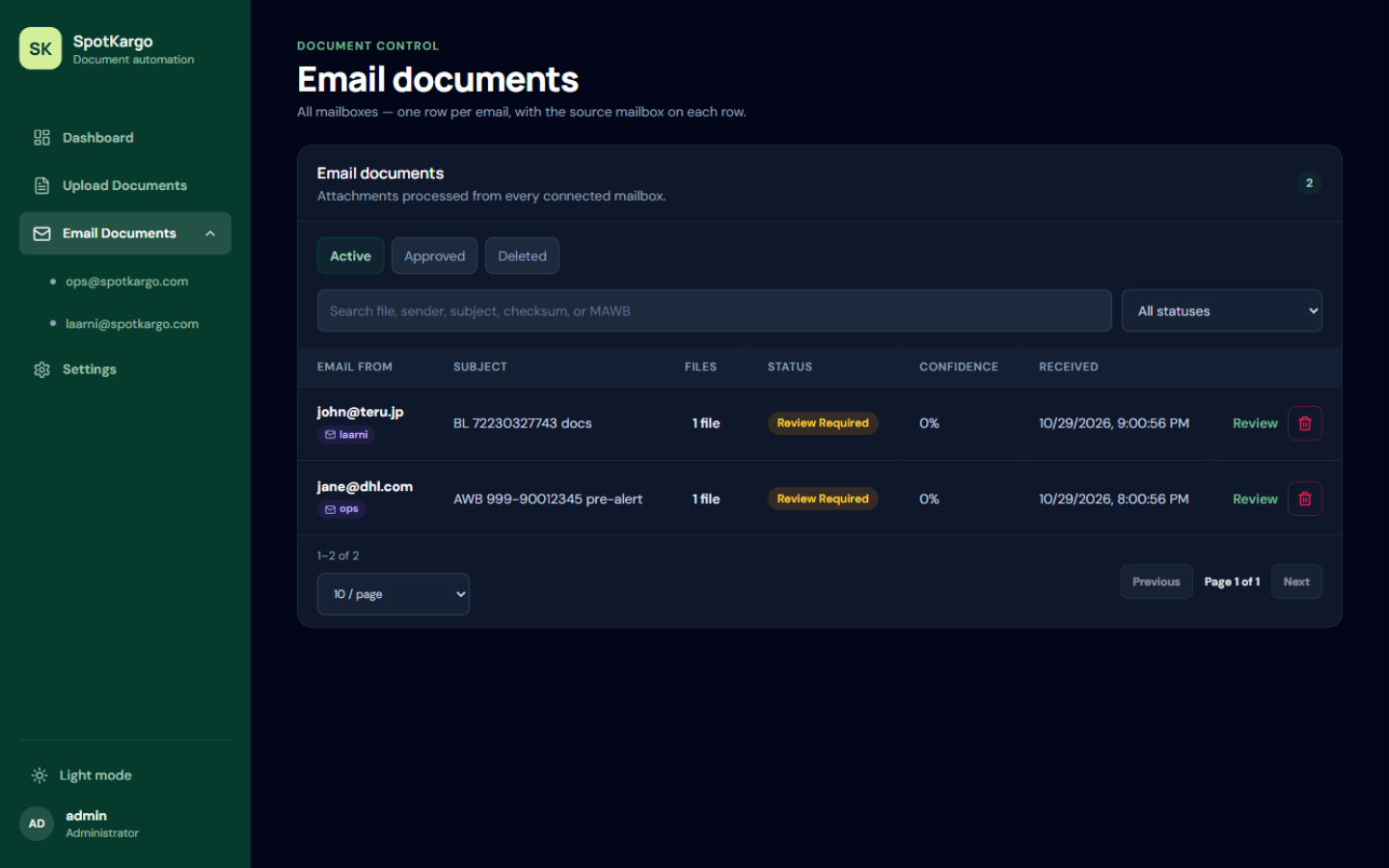 The All-mailboxes view with the mailbox filter and per-document provenance.
TIP
Provenance is recorded when the email is ingested, so it stays correct even if a mailbox is later paused or disconnected.
Last updated: 31 October 2026