
Appearance
Settings overview
The Settings page gathers every connection and account control in one place. What you see depends on your role — administrators see everything, operators see only their account (see Admin-only areas).
The cards
| Card | What it does | Who manages it |
|---|---|---|
| Email Accounts | Connect, pause, resume, and disconnect the mailboxes that feed Email Documents. | Administrators |
| Fr8Labs MCP Connection | The OAuth bridge used to push approved documents to Fr8Labs. | Administrators |
| AI Extraction | Endpoint, model, timeout, and the AI fallback toggle, plus Configure, Test connection and the last AI run. | Administrators |
| Application account | Your sign-in account, and Sign out. | Everyone |
| Documentation | Opens this user guide site in a new tab. | Everyone |
Notes
- Changes on the Settings page apply immediately — there is no restart or maintenance window.
- Connection credentials are encrypted at rest and never shown again after they are saved.
- The light/dark toggle lives at the bottom of the left menu, not in Settings.
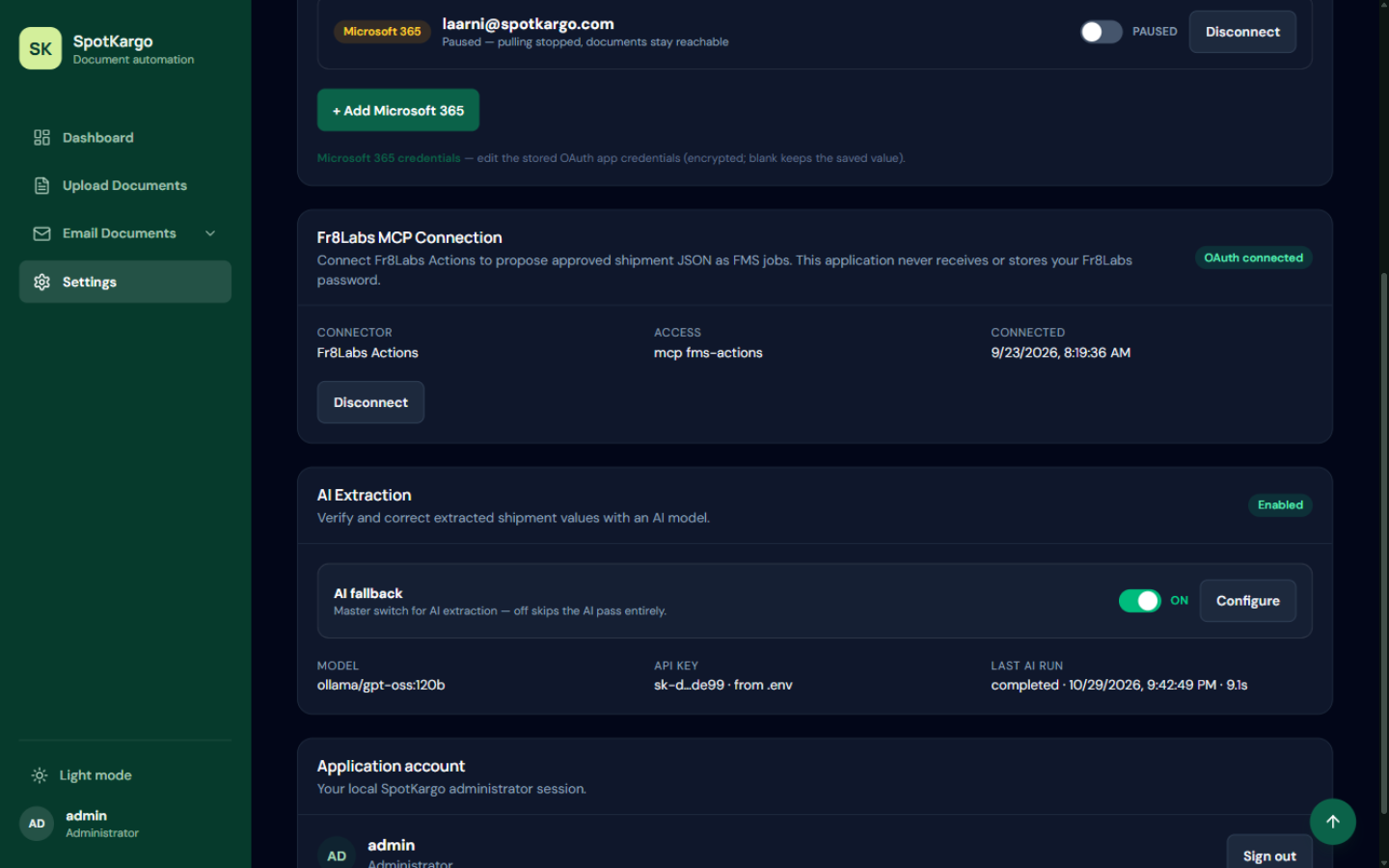 Connection cards on the Settings page.
Last updated: 31 October 2026